ePAL Cross Border Calculator for WooCommerce
Calculate VAT, customs duties and other applicable import charges in WooCommerce. Choose how much detail customers see, and let ePAL optimise eligible baskets.
Free to install. Pay as you go on confirmed cross-border orders using ePAL. See pricing.
Unpredictable final price because taxes, duties, tax on shipping or other fees are excluded or estimated.
Unnecessary overpricing by defaulting to Standard Rate VAT 'just to be sure'.
Customers refuse delivery when Tax & Duties (not to mention 'carrier handling charges') are demanded at delivery.
Goods are either returned and refunded or destroyed by Customs.
Managing multiple vendors, contracts & billing plus complicated integrations that consume time and money.
Managing multiple rates, rules and regulations across dozens of countries.
Across seven real orders from an existing ePAL client, 66 product lines were assessed in 25 duty groups. The orders incurred €75 in flat-rate duty. A comparison charging €3 for each distinct product line would total €198 for the same baskets.

A simple flow that keeps your checkout fast, compliant and predictable.
Customer adds products to basket & ePAL identifies product classification in real time.
ePAL identifies tax & duty rates in the background and retrieves Shipping options if required.
ePAL instantly calculates taxes & duties and updates price in your WooCommerce checkout.
Customer sees fully landed cost before payment. Carriers can streamline delivery.
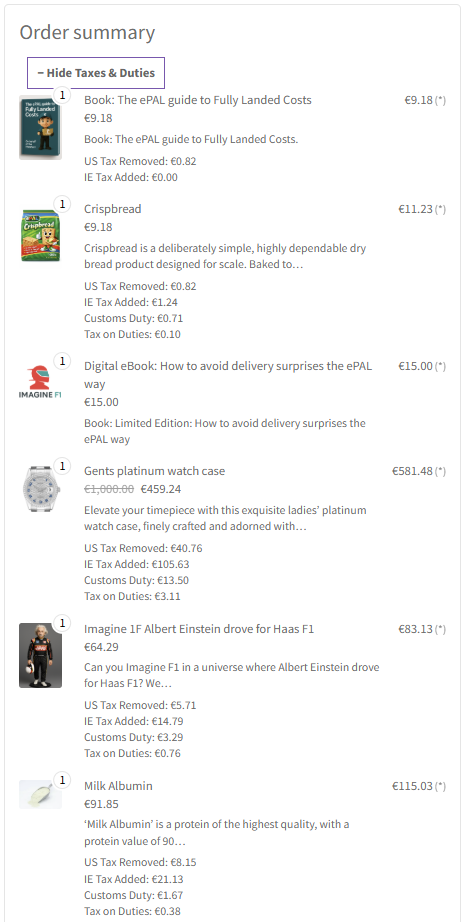
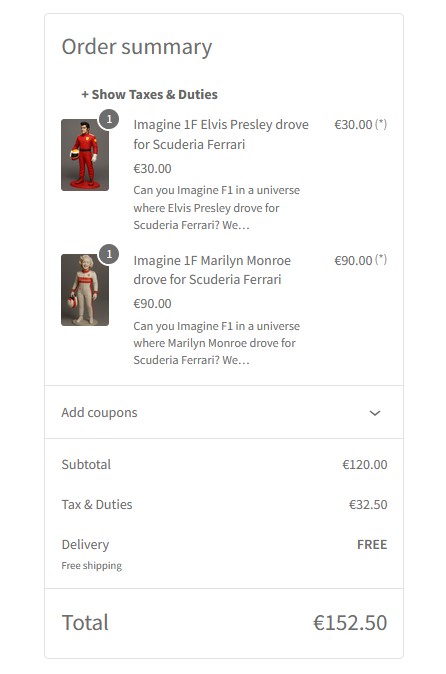
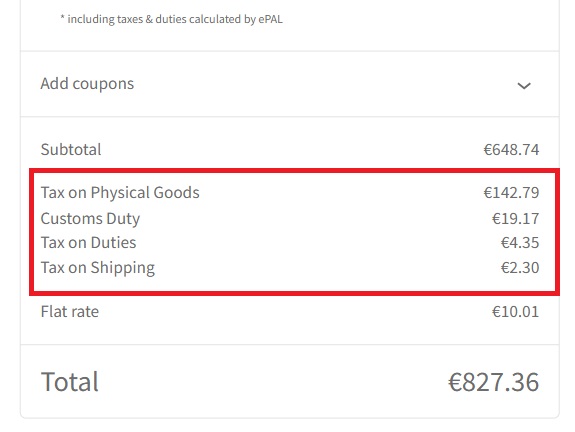
At checkout, ePAL adds taxes & duties, showing a breakdown of what the shopper pays.
View the full checkout example with per-item taxes and duties
Below are real WooCommerce screens created with ePAL's test store at imaginef1.shop.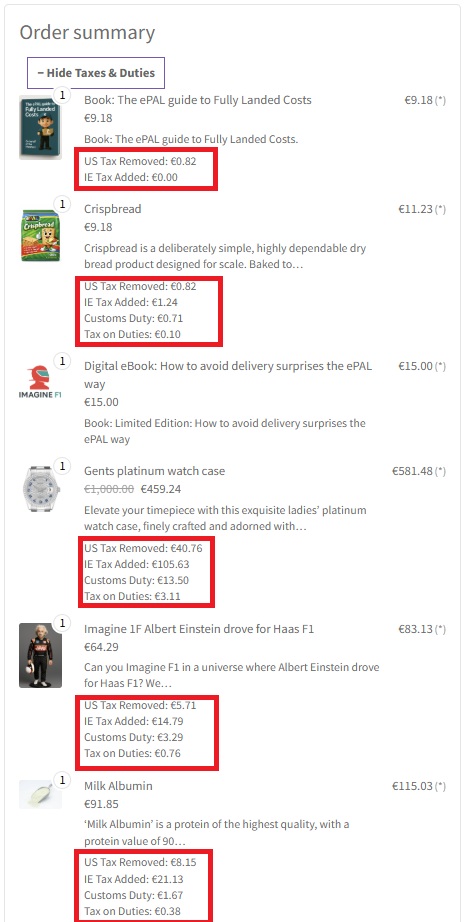
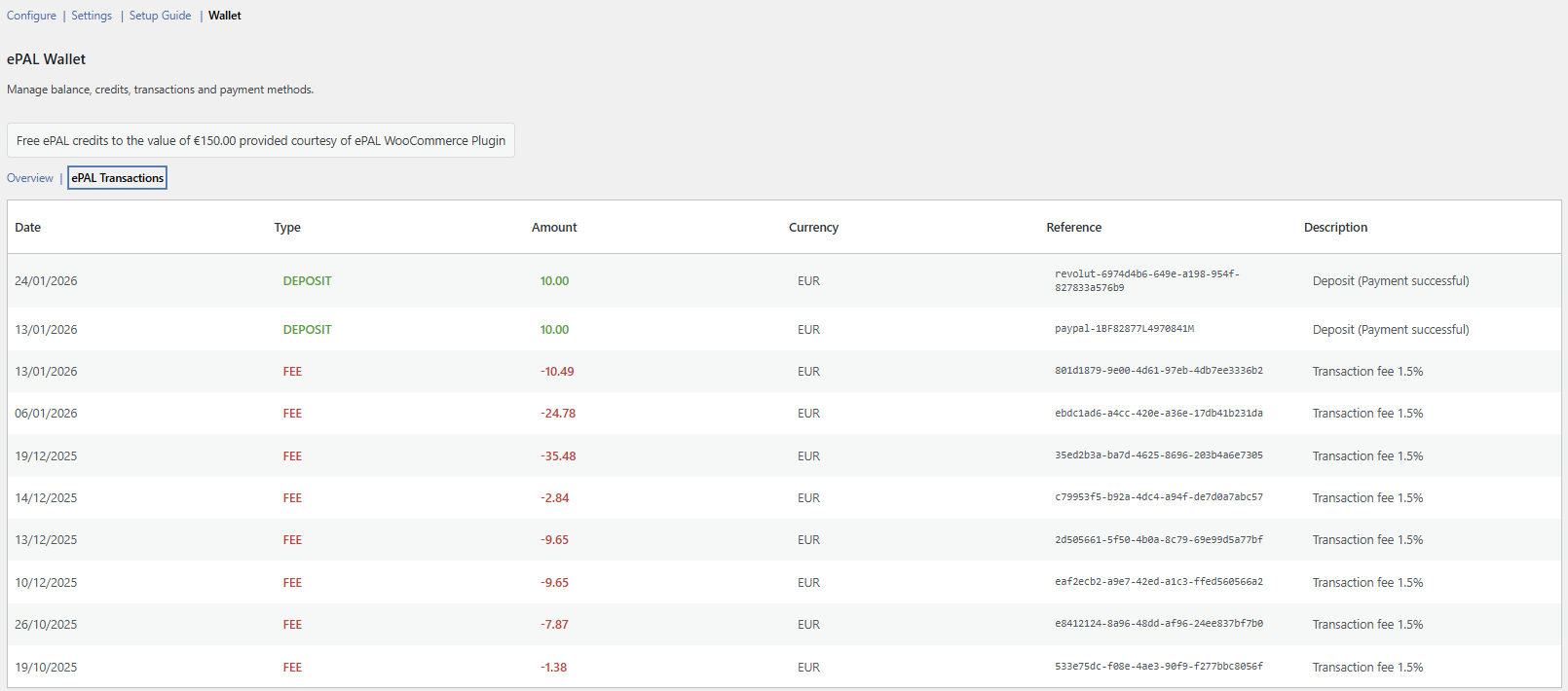
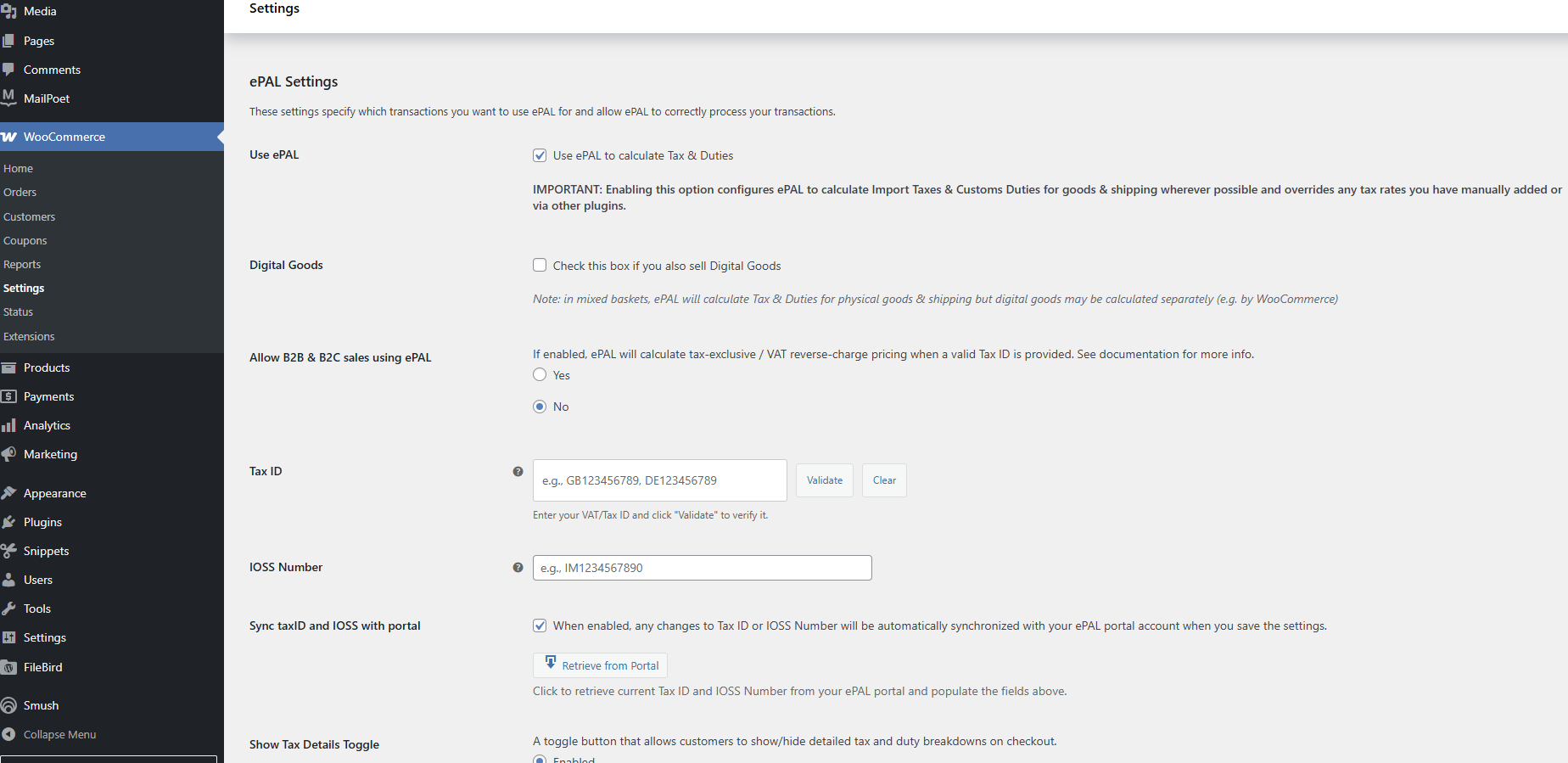
ePAL provides real-time VAT calculation, customs duties calculation, excise checks, shipping & documentation, IOSS validation & compliance screening in one service.
ePAL was designed for merchants selling cross border using platforms like WooCommerce, with a specific focus on SME merchants who just want to sell more, and more easily, without becoming a Tax & Duty specialist
ePAL handles everything in one simple integration, including AI-supported product classification, tax & duty calculation, dynamic shipping rates and IOSS checks, all in a single WooCommerce plugin with built-in automation and onboarding. Everything in one place.
The calculation fee applies when a cross-border order using ePAL is confirmed. The extension is free to install and requires an ePAL account. Billing is pay-as-you-go, with no minimum spend.
Do you wonder why cross-border consignments get stuck at Customs, get delayed or end up being delivered with added charges or fees... and how to prevent these delays while expanding across the whole EU?
Check out the various ePAL explainers on our YouTube channel: videos and 'shorts'
Short answers for the obvious questions.
More questions and longer answers available here if you want to find out more.
Yes. Install the extension free of charge, and use the demo store to see an example checkout. New ePAL accounts receive their first €10,000 of cross-border sales fee-free.
Install the extension, connect your ePAL account and configure your destinations. Then prepare your products and test a representative basket. The Merchant Guide walks you through setup.
Yes. Connect the extension to an ePAL account. Billing is pay-as-you-go on confirmed cross-border orders using ePAL, with no minimum spend.
Yes. Choose the destinations you want ePAL to handle. Other destinations use your normal WooCommerce tax settings.
Cross Border Calculator supports most destinations out of the box, although coverage for some countries might require additional integrations, such as with ePAL’s US tax partners for merchants selling into the US.
You pay the ePAL calculation fee only when a cross-border order using ePAL is confirmed.
No. ePAL was built so merchants don’t have to become experts. It handles tax and customs complexity through one integration. In addition, ePAL partners and integrates automatically with best-in-class specialists & experts in product classification, tax & duty rules and rates, sanctions & restrictions monitoring and screening
Install the extension, then follow the Merchant Guide to configure and test your checkout.
Latest release highlights and earlier milestones. See the full changelog on WordPress.org.